Automated Training Assignments for Smarter Task Management
Streamline training tasks with automated assignments with effortless creation, distribution, and monitoring for improved learner engagement and upskilling.
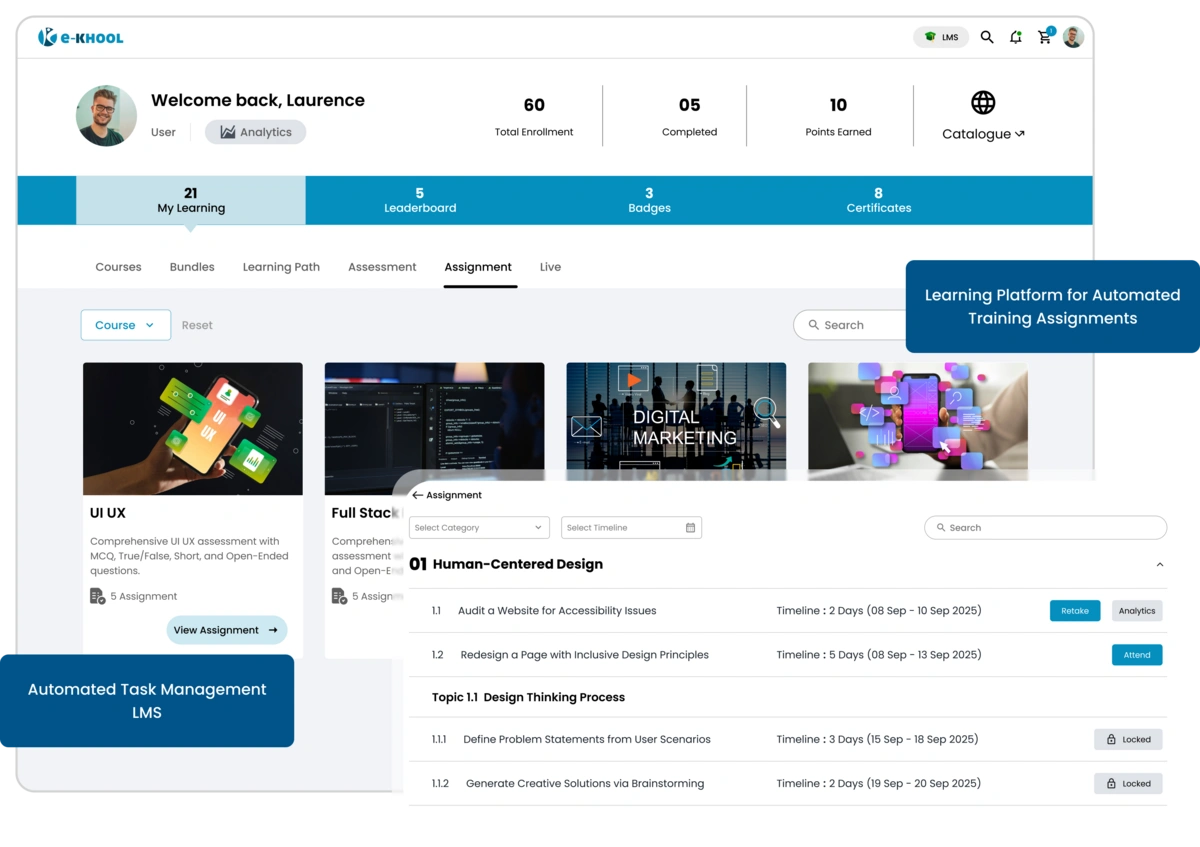
Effortless Assignment Management for Learners
Allows learners to submit assignments in various formats including, videos, audios, files, helping admins evaluate and grade tasks efficiently through structured assignment management.
Flexible Submissions
Provide learners multiple ways to submit assignments, ensuring convenience and adaptability for diverse learning preferences.
Scan & Upload Files
Learners can scan handwritten or printed assignments and upload them directly for easy evaluation.
Type & Submit Online
Assignments can be typed and submitted directly within the platform, avoiding the use of external tools.
Attach External Documents
Learners can prepare assignments in Word or Google Docs, then attach and submit files effortlessly.
Automated Assignments for Organised Training
Set start and end dates for assignment availability, ensuring learners submit tasks within the defined timeframe.
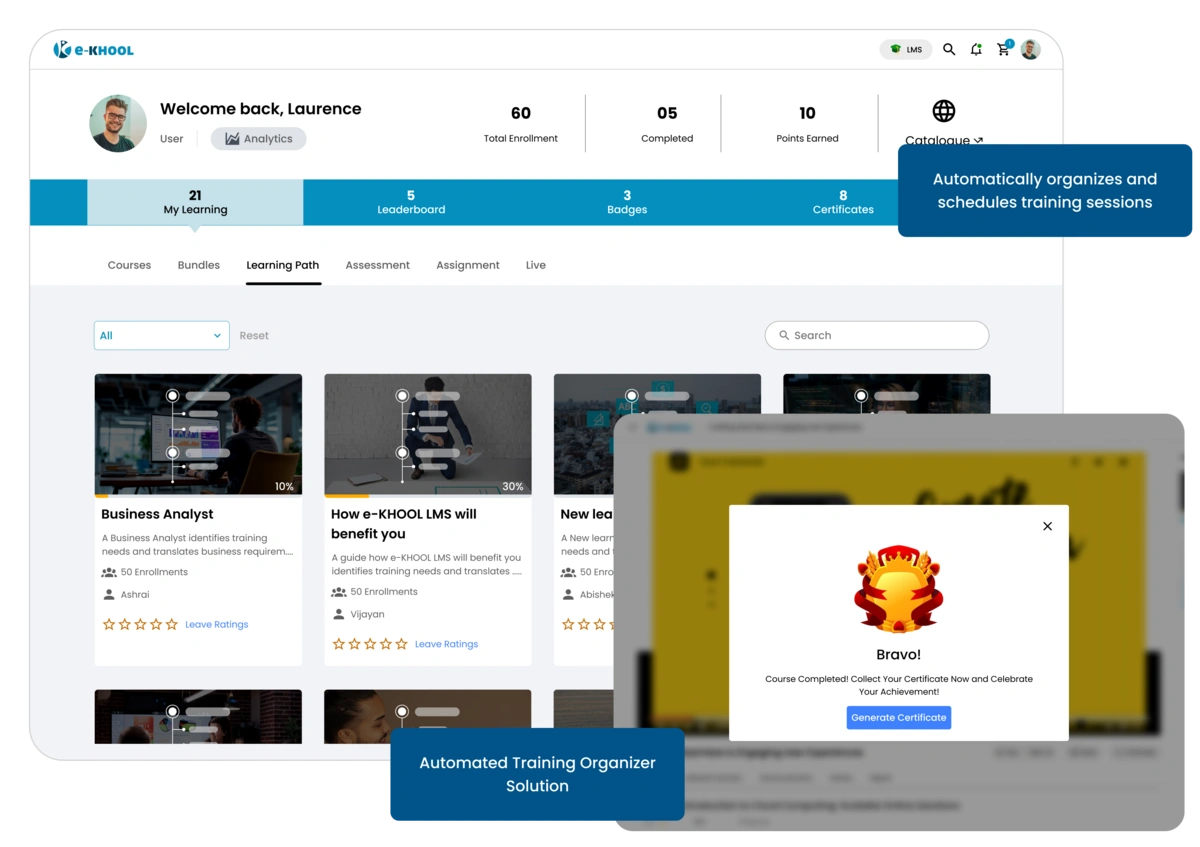
Custom Tag Features for easy retrieval
Provide clear instructions and tags to guide learners, organize assignments, and simplify tracking for instructors.
Narrative Guidelines for learners
Include step-by-step directions to help learners complete assignments efficiently by using the LMS platform which guides and supports the learners to gain knowledge.
Organized Categorizations for assignments
Use tags to categorize assignments for easy management and quick reference for learners.
Real-Time Tracking & Feedback
Track submissions in real time using a learner progress tracking system and provide immediate feedback, fostering engagement and timely evaluation.
Progress Monitoring Tools
Instructors can monitor submissions, review completed work, and track learners’ progress effortlessly through instant reports
Instant Feedback Features
Provide comments and grades promptly to keep learners motivated and informed.
Instant Report Features
Get a clear view of pending and completed assignments for efficient management.
Learner Guidance Made Simple
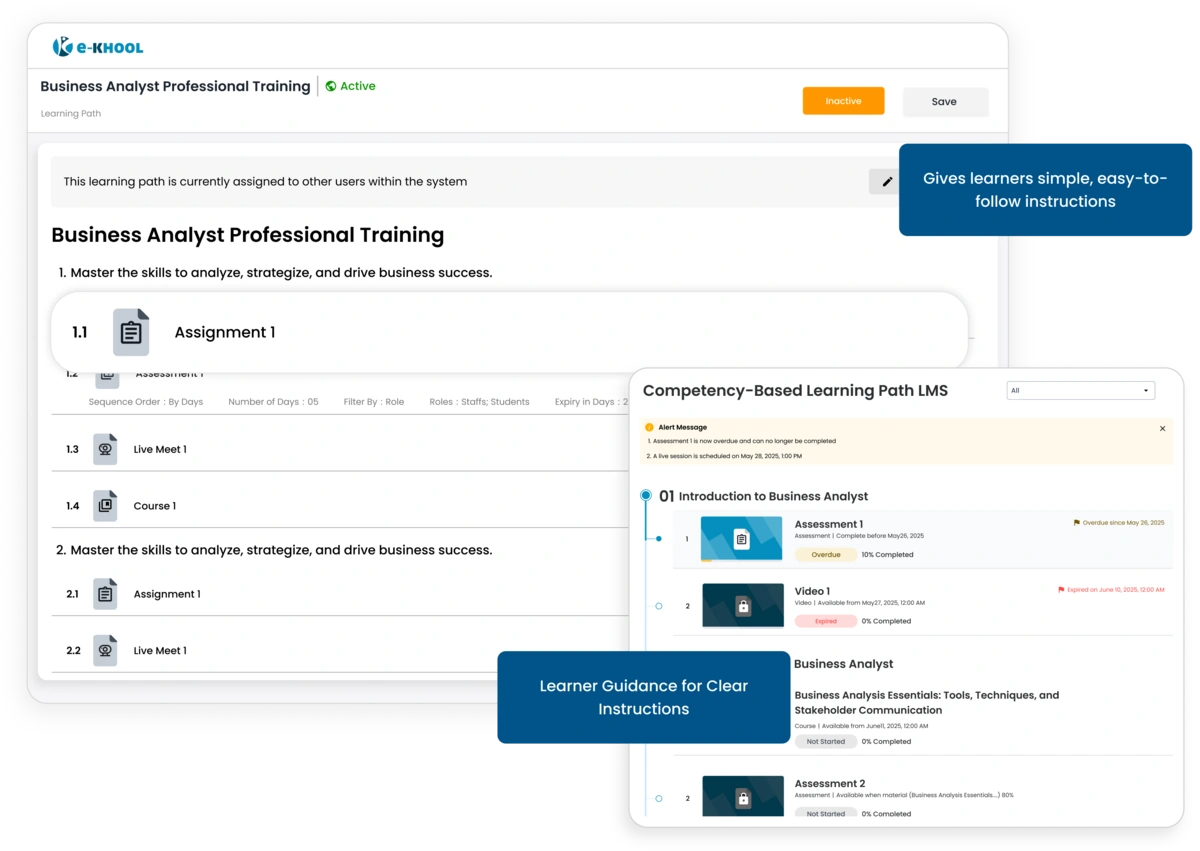
Ensure learners have essential assignment details, instructions, and deadlines to complete tasks confidently and on time.
Clear Instructions
Provide instructions to help learners understand requirements and expectations.
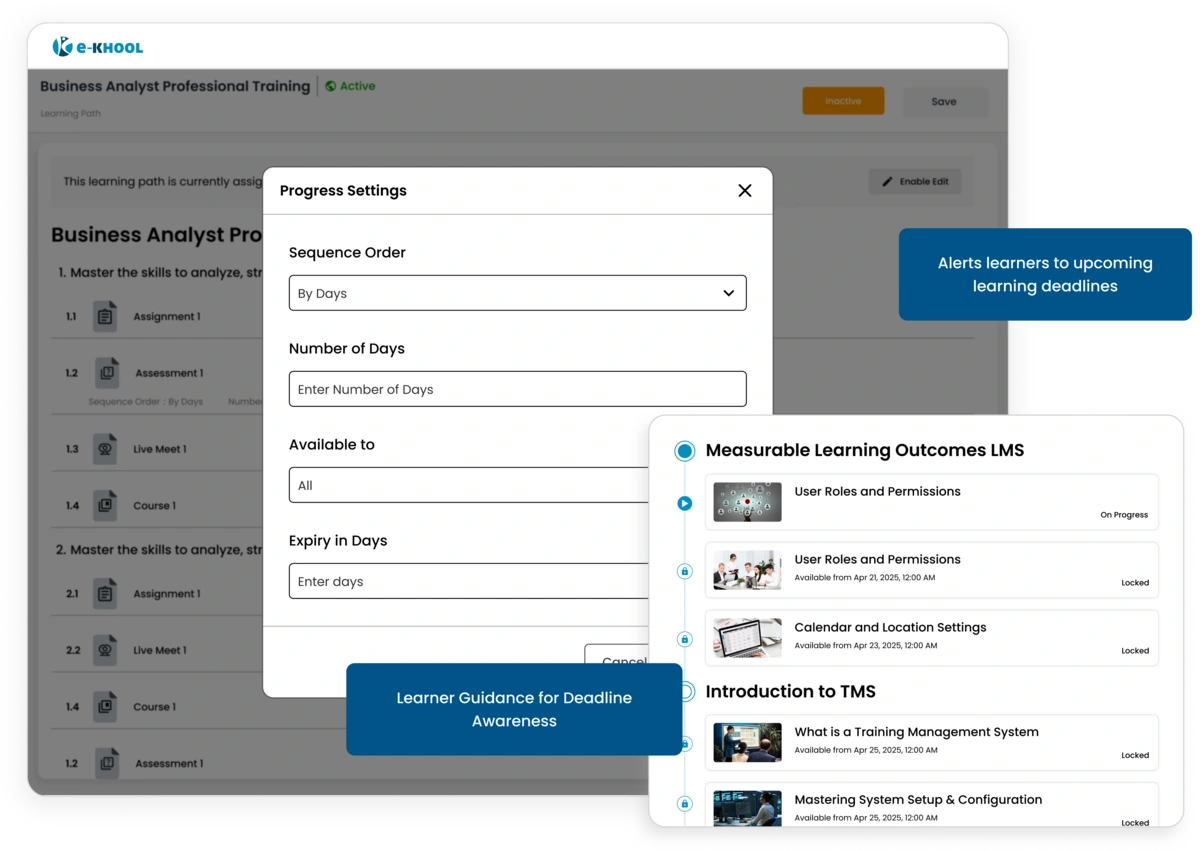
Deadline Awareness
Highlight submission timelines to encourage timely task completion and avoid delays.
Question Types
Assignments can include multiple question types to assess learners effectively, with most automatically evaluated for faster results.
Objective Questions
Single choice, multiple choice, match the following, comprehensive, and integer type questions are auto-evaluated instantly.
Subjective & Fill-in Questions
Subjective and fill-in-the-blank answers require manual review for balanced evaluation and feedback.