Personalized Learner Dashboard
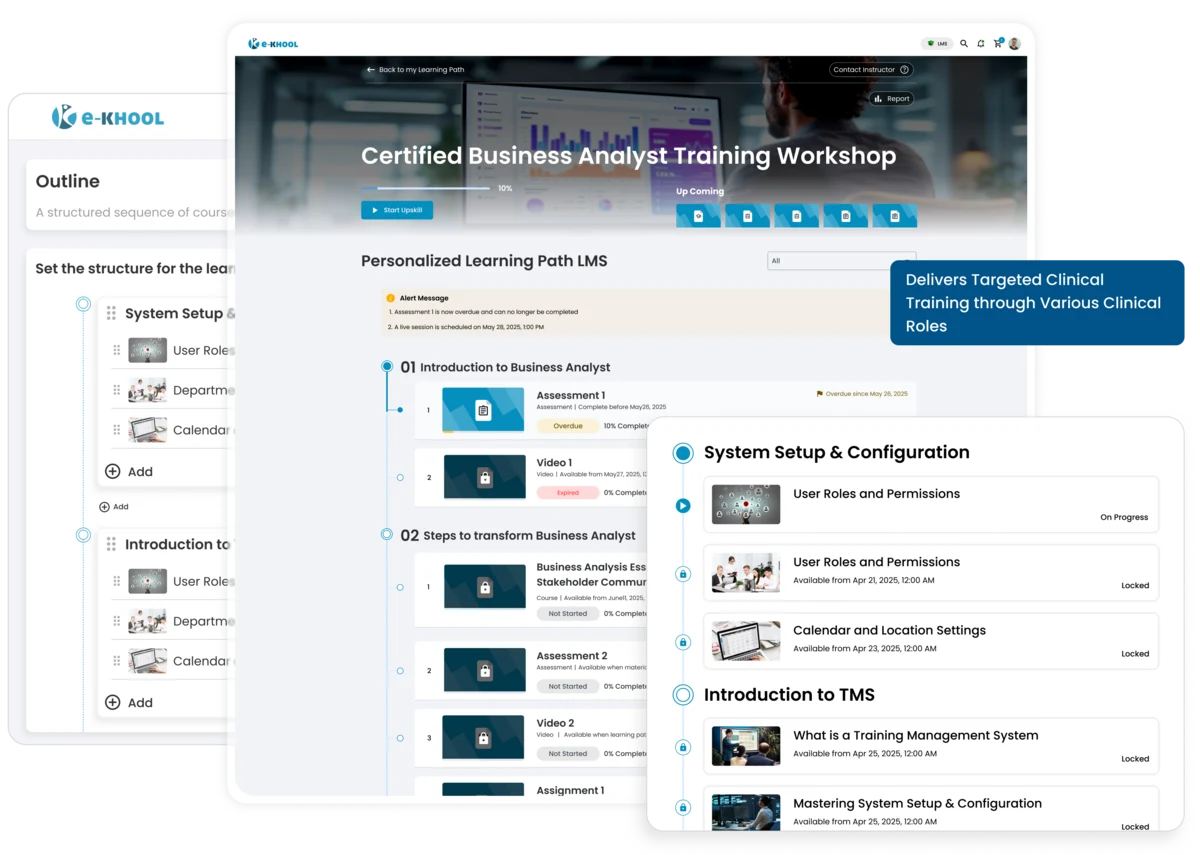
All enrolled courses, bundles, assessments, assignments, and live sessions available at one place, helping learners stay organized and motivated.
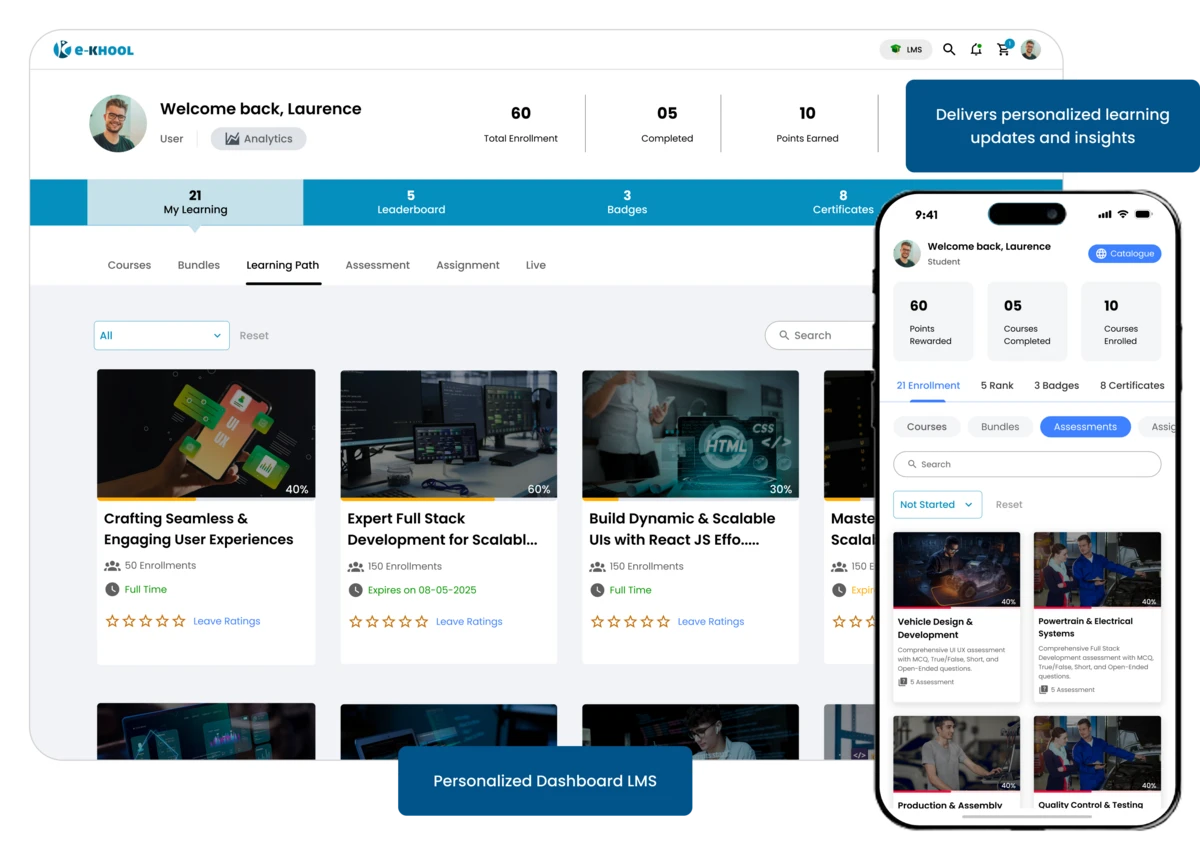
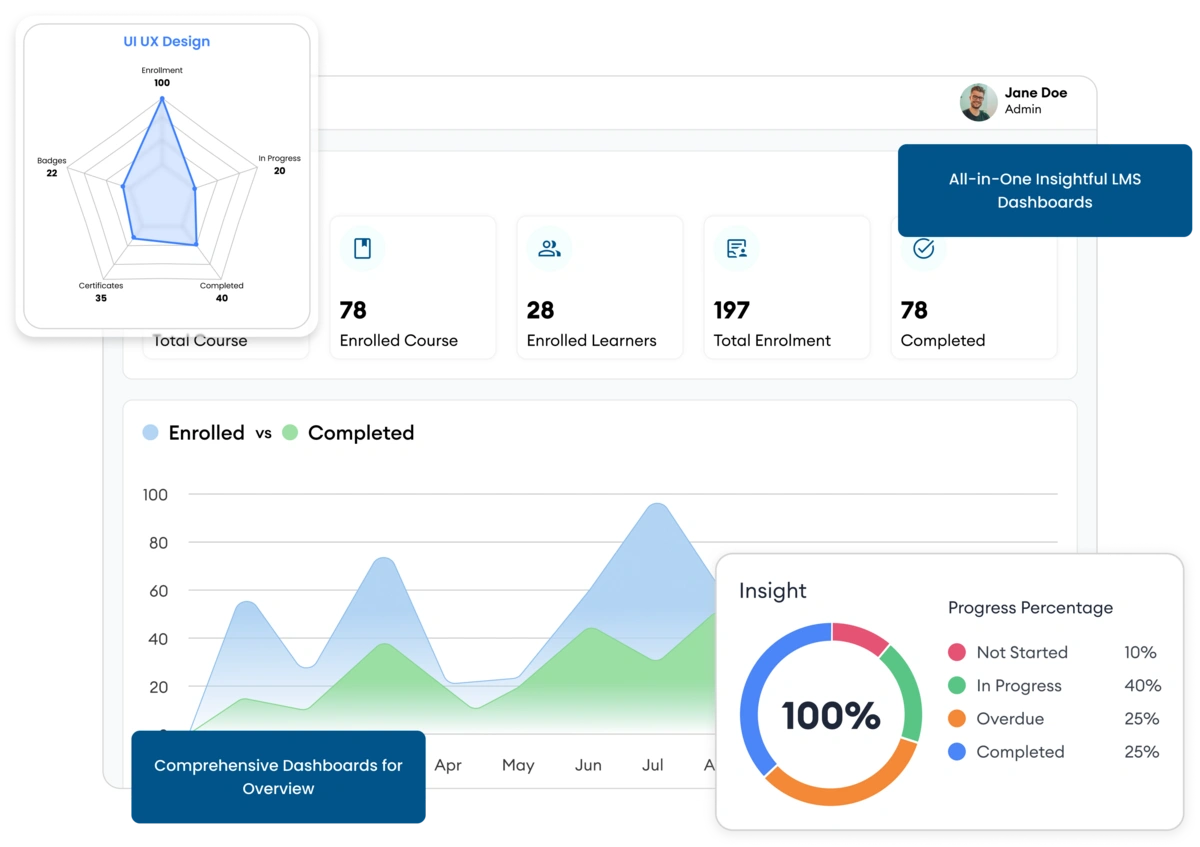
Comprehensive Dashboards for Overview
A centralised dashboard covering all major insights including course enrolments, assessments, learner progress allows learners with deeper insights.
Courses & Bundles Management
Track progress across all courses and bundles in the LMS platform with clear indicators such as Not Started, In Progress, Completed, and Certified for structured and efficient learning.
Assessments Management
Learners can click to access all assessments. Start and end dates help them plan and complete assessments on time.
Assignments Management
Track all assignments with deadlines. Learners can manage submissions efficiently, ensuring timely completion.
Live Classes Tools
Access ongoing, upcoming, or past sessions with one click, keeping learners engaged and connected to real-time learning.
Rewards & Motivation for Gamified Learning
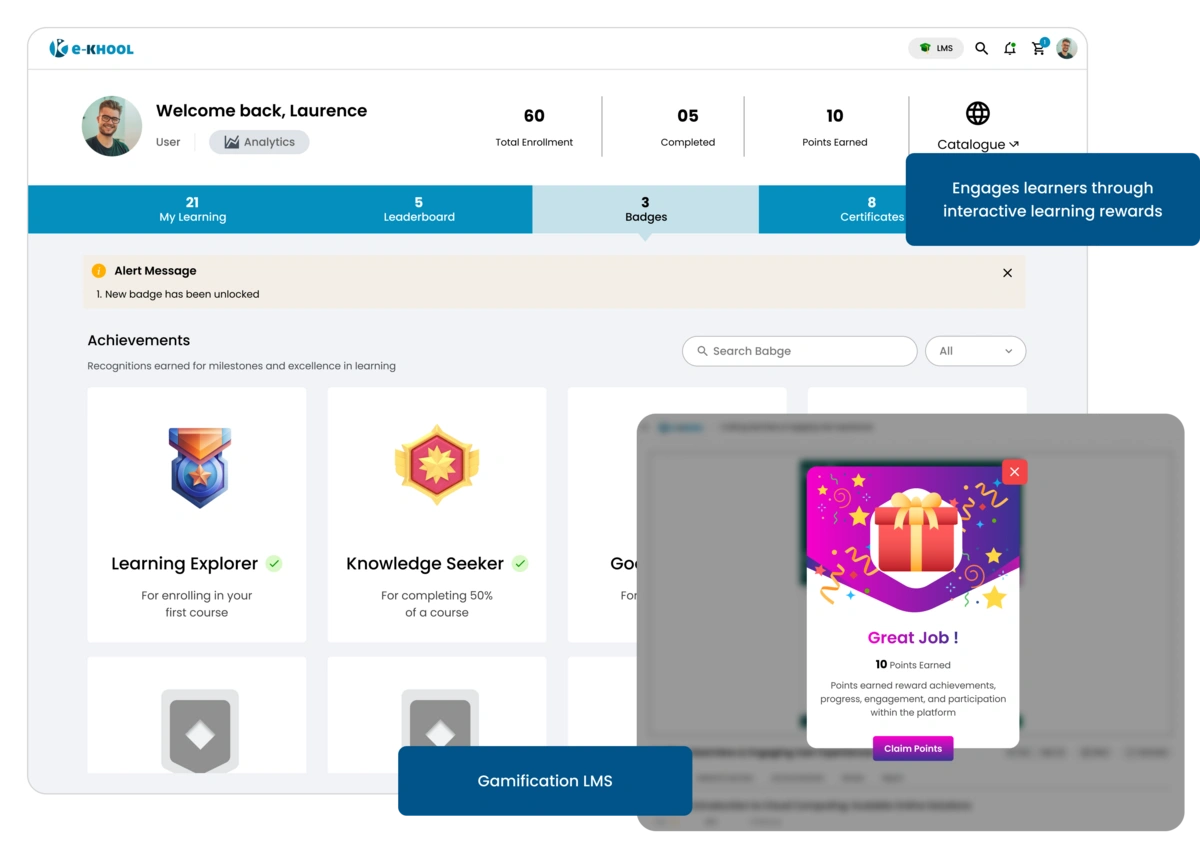
Gamification and recognition promote learner engagement and consistent participation, helping organizations increase completion rates.
Badges & Points Features
Earn points for activities and milestones. Badges recognize achievements and encourage learners to stay motivated and engaged with learning.
Certificate Features
Learners can download or print course completion certificates anytime from the dashboard.
Leaderboards
Track ranks based on points earned. Healthy competition boosts engagement and encourages learners to actively participate.
Seamless Navigation for better Course Exploration
Learners can easily browse available courses and bundles, discover relevant content, and explore learning opportunities at their pace.
Course Catalogue
Explore all available courses and bundles with filter by category, type, language, duration, and tags to find the right content.
Responsive Media Previews
Learners can preview lessons or videos before enrolling to know the course type.
Search & Sorting
Search specific courses or sort by alphabetical order, duration, or tags, helping learners save time and focus on relevant learning.
Interactive Content Support
SCORM, HTML simulations, and interactive video quizzes are supported.
Personalized Filters
Filter enrolled courses by status, category, or progress to prioritize learning paths effectively.
Analytics & Account Management for refined Insights
Learners track progress and manage their accounts securely, while organizations gain insight into engagement and performance trends.
Progress Dashboard
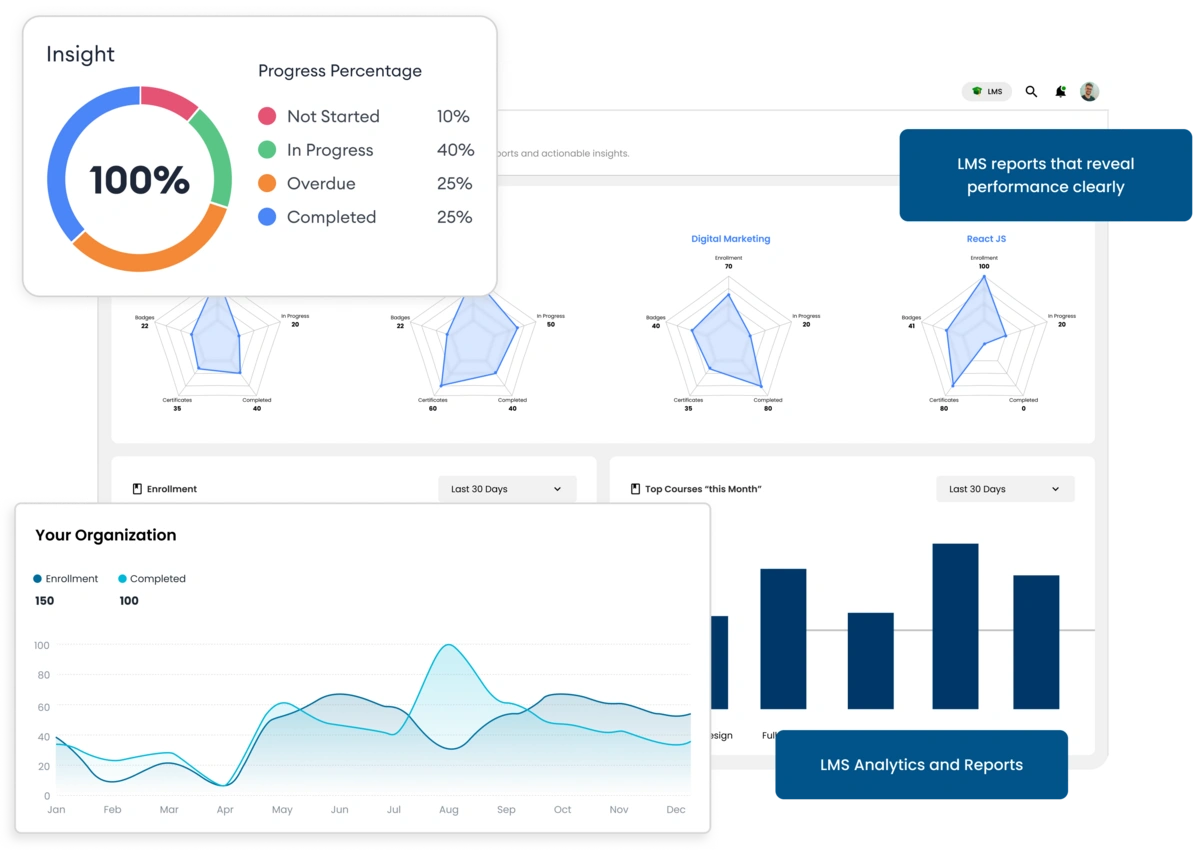
View course-wise progress: in-progress, completed, overdue, and certified courses. Track total badges and certificates earned at a glance.
Custom Reports
Learners can personalize what analytics to view. Organizations get real-time insights on engagement and completion trends.
Account & Security
Edit profile, manage devices, review activity logs, and update passwords securely. Reduces admin workload while keeping learners safe.
Notifications & Sharing
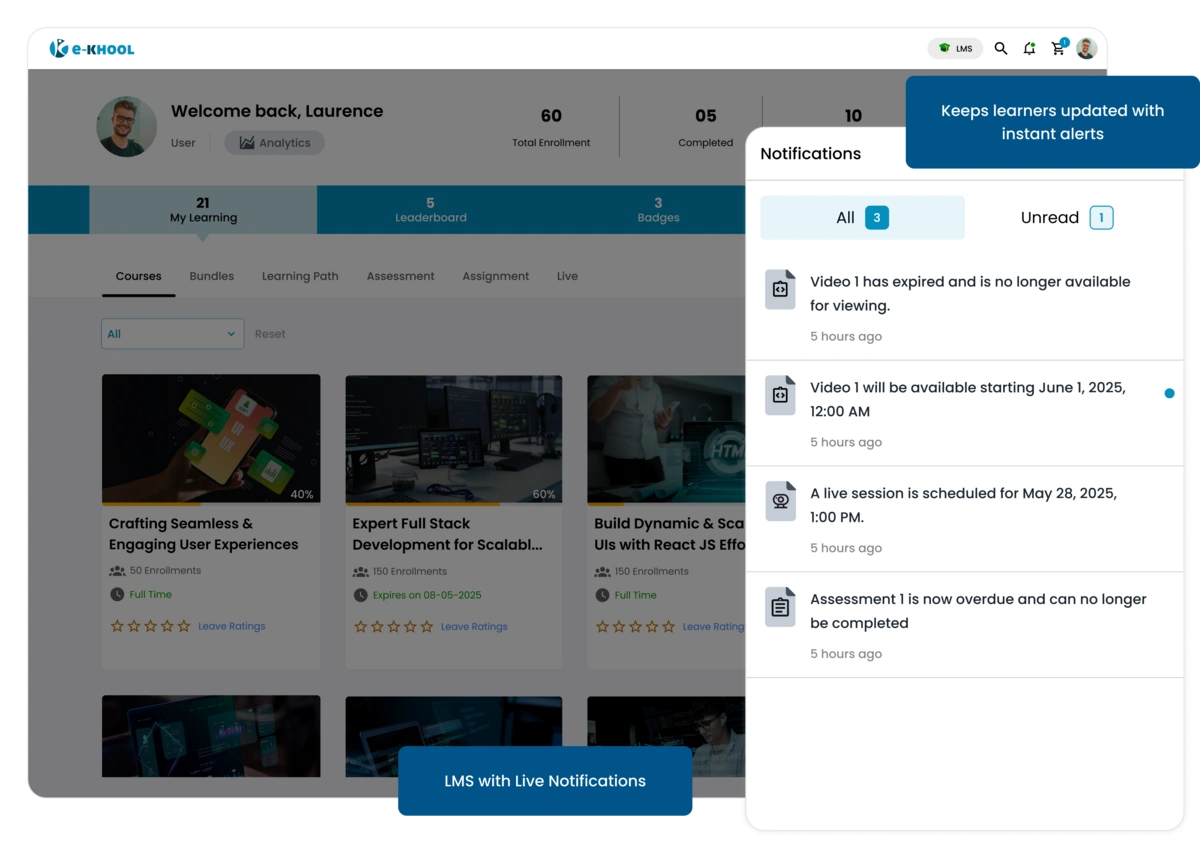
Push notifications alert learners about deadlines, live sessions, or new courses. Achievements and courses can be shared socially to encourage collaboration.