Anytime, Anywhere Learning through LMS Learning App
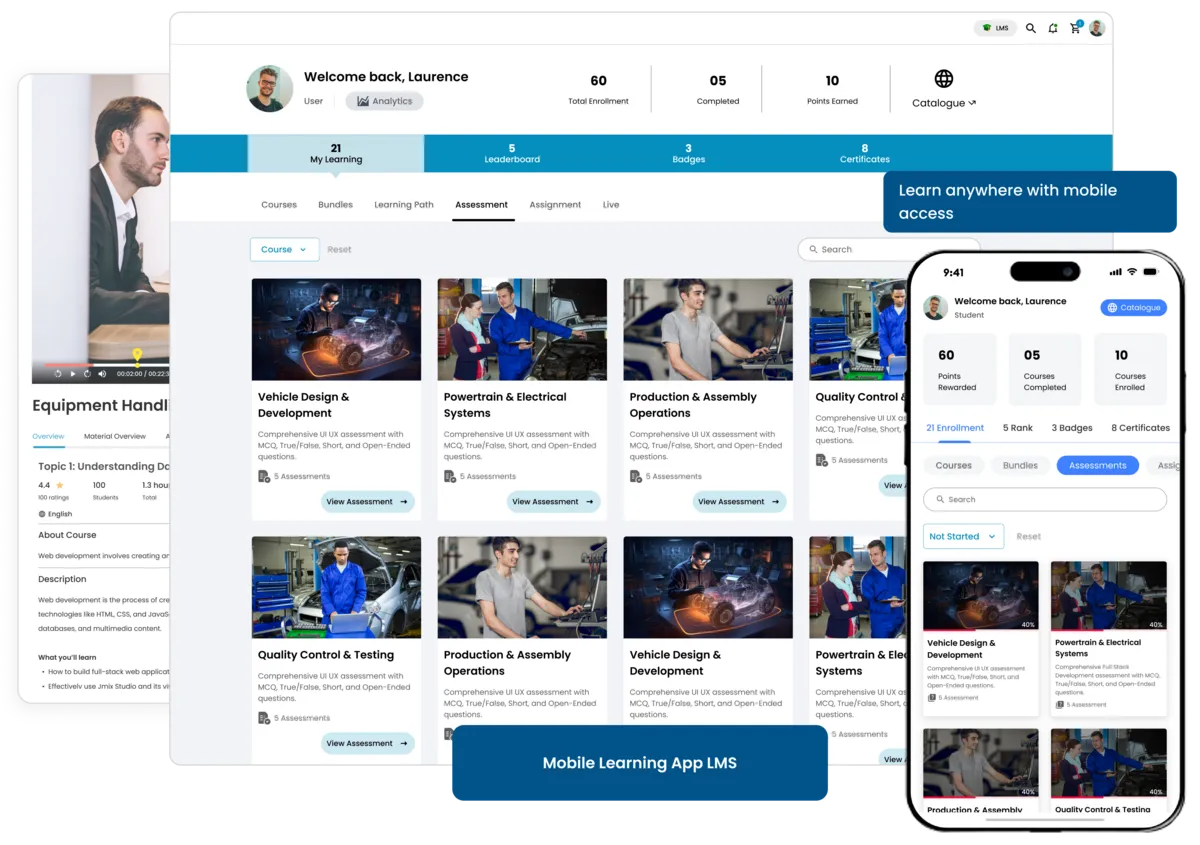
The e-KHOOL Learning App makes learning easy and flexible for learners to access their courses, track progress, and stay connected from any device, anytime.
Personalized Learning Features
Give every learner a smooth and customized experience through an easy-to-use mobile app that supports flexible and interactive learning.
Anywhere, Anytime Access
Keep learning without interruption. The best app for learning lets users study offline and continue lessons even with limited internet access.
Multi-Device Compatibility
Learners can switch between their phone, tablet, or computer without losing progress, ensuring a consistent experience across all devices.
Interactive and Engaging Learning
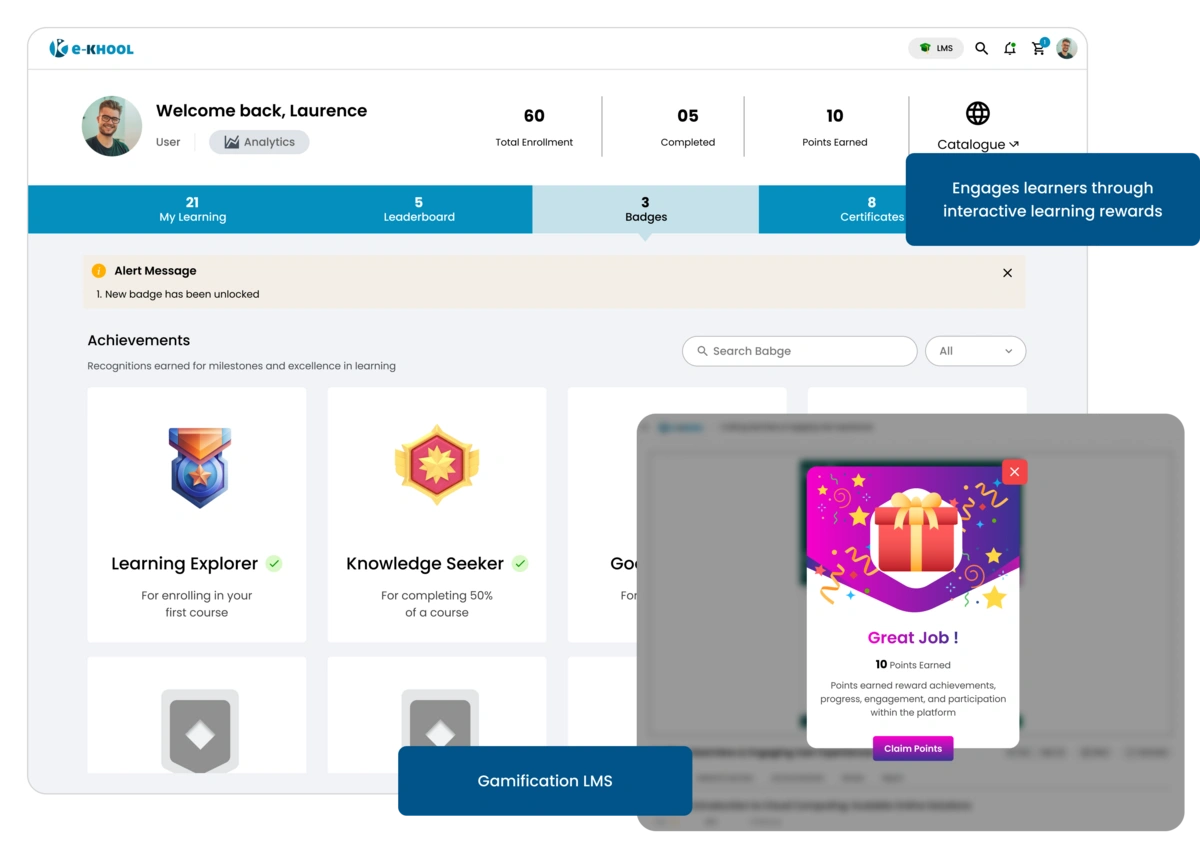
Make learning more fun and interactive through engaging lessons and real-time updates that help learners stay motivated and focused.
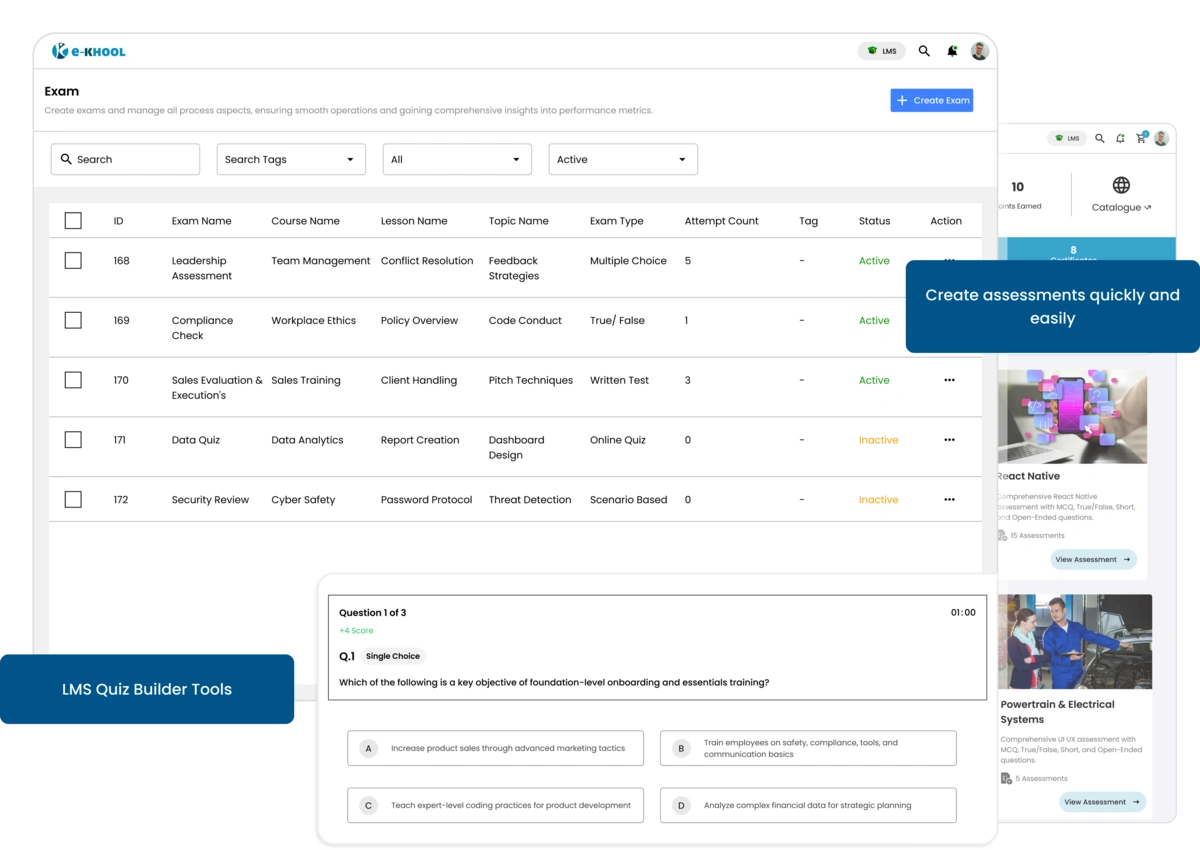
Multimedia Content Management
Admins can upload videos, documents, quizzes, and presentations inside the LMS platform that make learning more visual and engaging.
Notification Management
Learners get notified about new courses, assignments, and announcements so they never miss important information.
Admin-Learner Connectivity
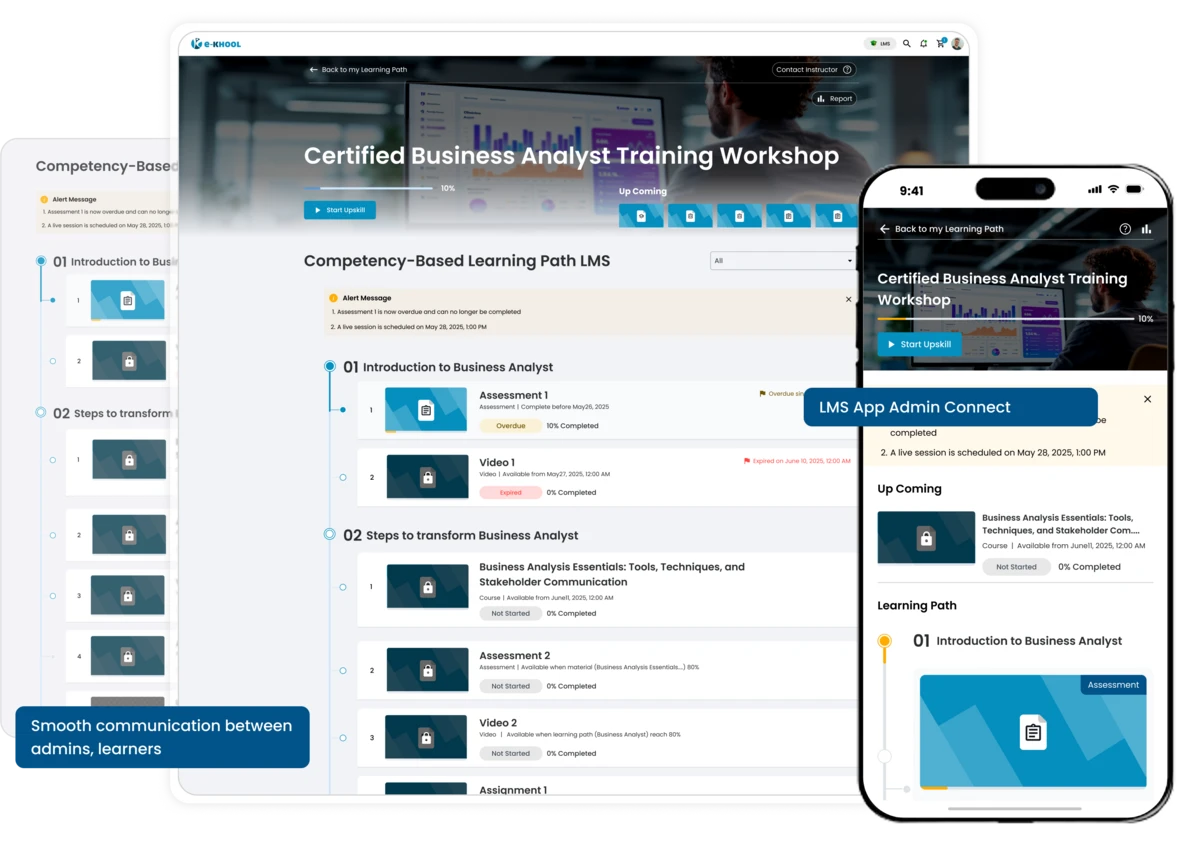
The best learning app LMS helps admins and learners stay connected easily, making content sharing and communication quick and simple.
Announcement Tools for instant Updates
When admins upload new lessons or announcements, learners can see them immediately inside the app without any delay.
Progress Tracking Tools for learning Insights
Learners can easily track what they’ve completed, what’s next, and how well they are progressing in each course.
Comprehensive Learning Control
Learners can manage everything from one place — browse courses, review materials, and learn at their own pace in a simple interface.

Course Library
All assigned courses, assessments, and resources are neatly organized in a LMS course library for quick and easy access.
Offline Learning Mode
Learners can download lessons, study offline, and sync their progress automatically once they’re back online.
Modern LMS for Learning App Success
e-KHOOL offers an advanced LMS for learning app experience that makes learning modern, mobile, and connected for today’s learners.
Unified Learning Ecosystem
All content, communication, and collaboration are brought together in one powerful mobile platform for a smooth learning experience.
Real-time Alert Management
Learners stay active and motivated through regular notifications, updates, and course activities that keep them connected to learning.