Experience Virtual Interactive Learning through Flipbook
Convert PDFs into engaging flipbooks with realistic page-turning effects, embedded assessment, videos and notes for an interactive and easy for learners to explore.
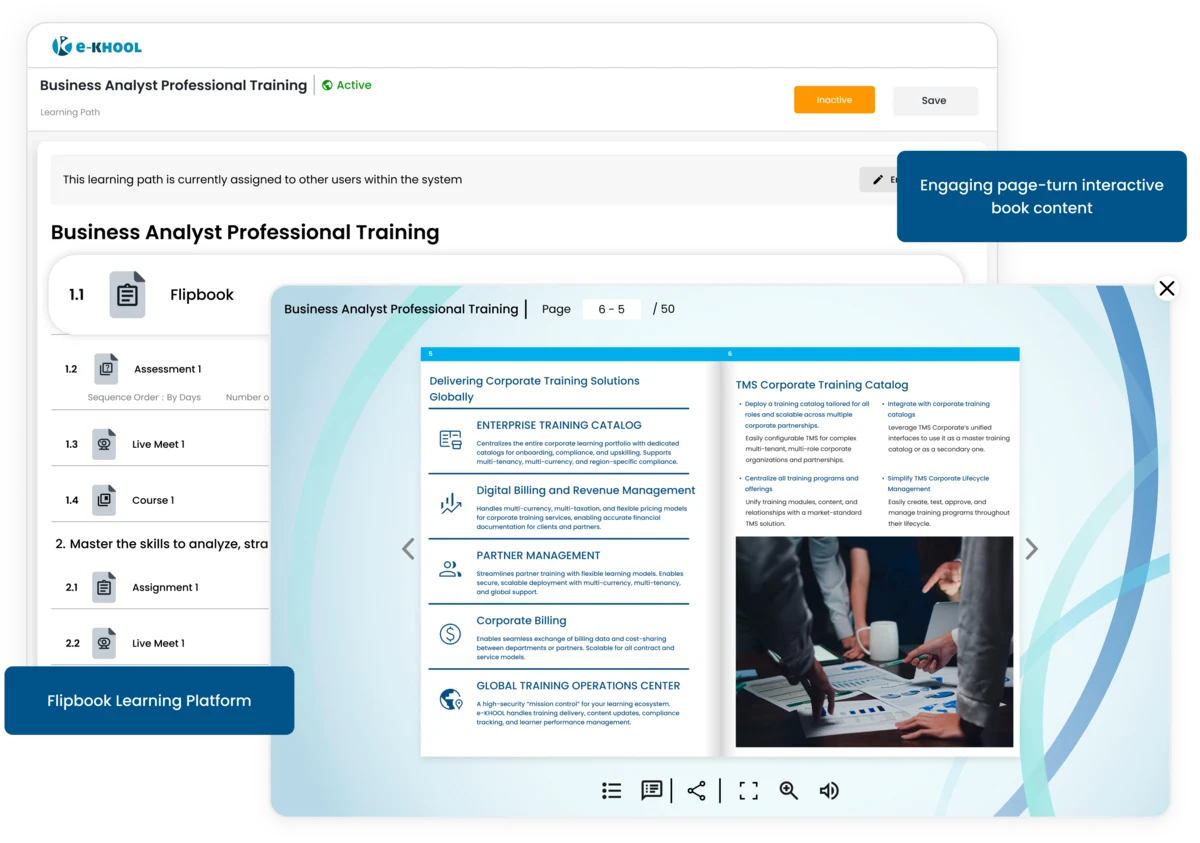
PDF to Flipbook Conversion Features
Upload PDF and e-KHOOL automatically convert it into an interactive flipbook with virtual feel and interactive learning for learners

Automatic Conversion Features
Simply upload PDFs, embed necessary media and assessments, and it instantly becomes a flipbook ready to use within the LMS for learners.
Realistic Page-Turning Feature
Learners experience smooth, real life page flips, creating a real-book feel virtually and better reading engagement inside the learning environment.
Inbuilt Content Authoring Tool
Add media, notes, and quizzes without third-party authoring tools by creating and editing flipbooks directly inside e-KHOOL LMS.
Interactive Learning Elements
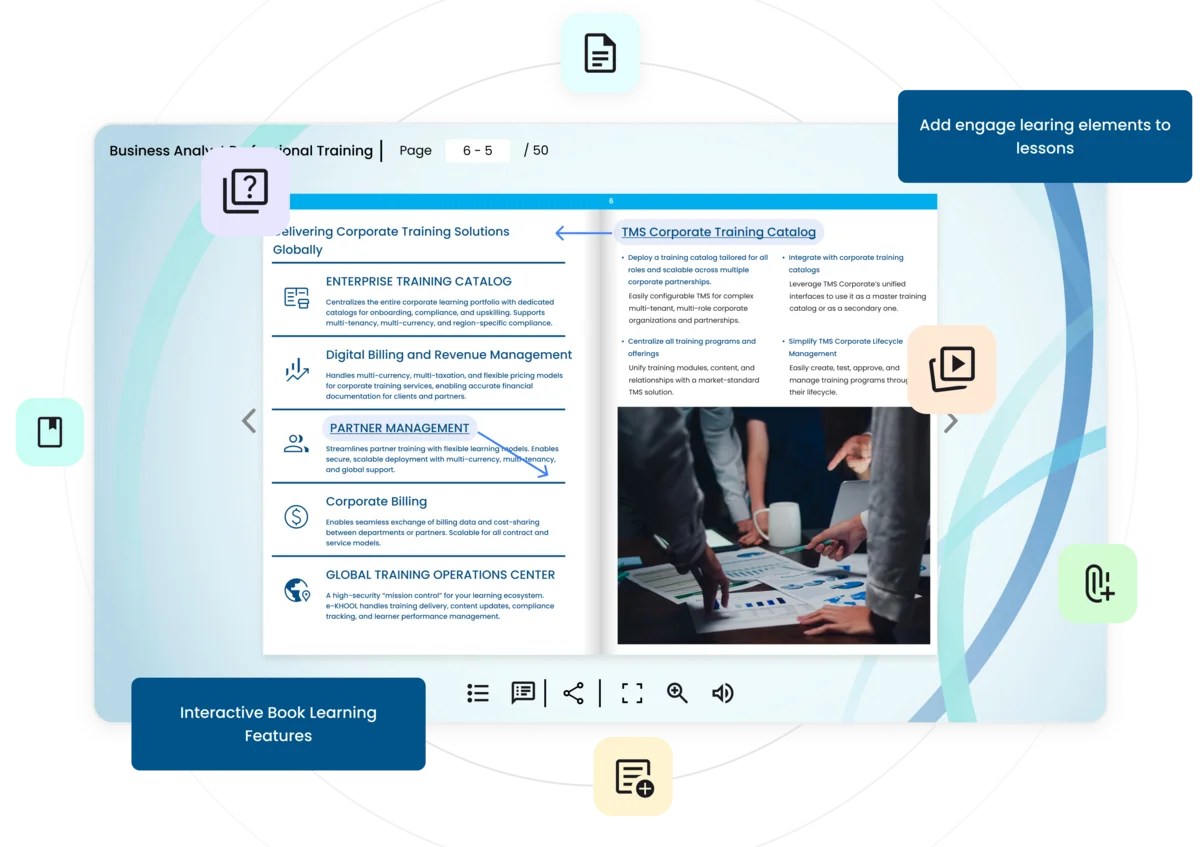
Enhance your flipbooks by embedding videos, links, quizzes, and notes to create dynamic, multimedia learning experiences that increase learner engagement.
Course Videos from Course Library
Include videos directly from your e-KHOOL course library allowing learners to click and watch learning materials within the flipbook.
External Videos from Social Platform
Embed video URLs from YouTube or any video platform. Learners instantly access external content within the flipbook view.
Reference Links from External Resources
Include any internal URLs to access reference materials or related resources instantly by clicking embedded links in the flipbook.
Supporting Links from References
Add any external links as clickable references with notes allowing learners to explore related materials without switching screens.
Interactive Learning Within Flipbooks
Make your flipbooks interactive by embedding assessments, notes, and learning resources directly inside the pages.
Quiz Attachment
Attach exams from courses in LMS mapped correctly inside flipbook. Learners can take assessments in between learning.
Notes Attachment
Add short notes or explanations as pop-ups. Learners can click to view quick references without losing reading flow.
Links Attachment
Content Admins can now easily attach any external files through links embedded in the flipbook for vast learning resources.

Simplified Training with Interactive Flipbooks
For trainers, e-KHOOL Flipbook is a powerful tool to present content creatively while tracking learner engagement through integrated course analytics.
Time-Saving Features
Create interactive flipbooks within minutes, saving time on manual formatting or designing separate documents.
Easy Content Updates
Update PDFs easily and after conversion, the flipbook is now ready for embedding links.
Interactive Learning Access
Videos, notes, links, and quizzes can be embedded in a single flipbook. It simplifies learning and keeps learners more engaged with the LMS platform.